Click here to view DESKTOP version.
Click here to view MOBILE version.
Home page
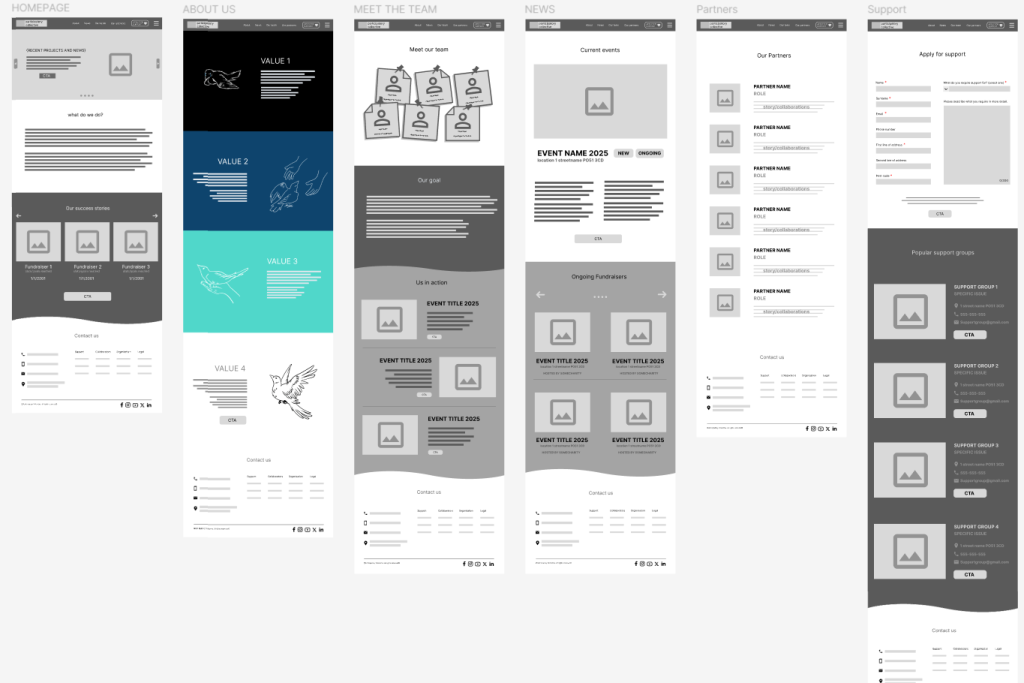
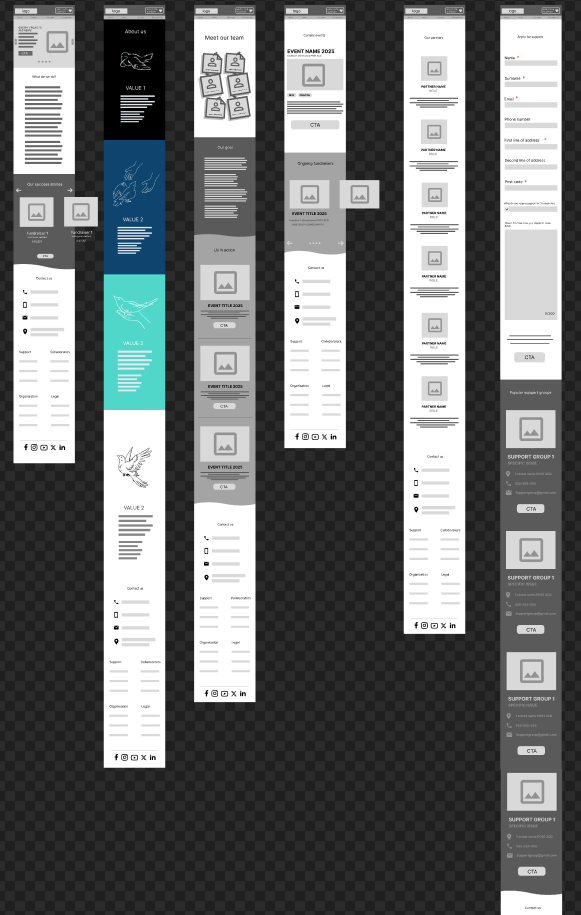
Since this is going to be the first page of the website that the user sees, I need to make sure that the user finds reasons to stay and navigate the website further. The first thing they are introduced to are the current news and events that the PC are involved with and a biography of what they do. It is important for the user to be given this knowledge immediately so that they are aware of what this website would have to offer and make an informed decision of whether or not this website will benefit them.
The bottom of every page has a contact page which allows for a multitude of ways for the user to directly interact with the collective, as well as redirecting them to specific pages if they have specific questions in order to make sure that company resources are not wasted on answering very basic questions caused by user error. It also leads the user to the collective’s social media pages on other apps, in case they need more information, showing their validity and all their networking capabilities.
About us
This page helps to showcase the collective’s values through a story which conveys the impact that the collective provide for the community. It also shows a more artistic and human side to the collective, avoiding corporate art styles and putting more emotion into the animation, portraying a story crafted from a variety of elements carefully put together. It also provides a call to action, urging the user to view more hoping they have convinced them after showcasing the story.
Meet the team
This section officially assigns faces to the collective, with playful visuals and a unique style and typeface, it demonstrates that they do not care for thinking inside the box and instead proudly reward creativity and individualism. This helps the collective appear more legitimate and trustworthy, since it is also followed by a page of articles and events during which you could see these familiar faces at work, doing their best to create positive impact whilst never neglecting their values and primary objectives.
This page features more warped and stylised colour transitions, which allow it to quietly become their trademark pattern, creating associations within the users’ minds which help with establishing a successful brand identity. It also features a few CTAs encouraging the users to look deeper into the work that the collective does, and maybe even inspire them to participate.
News
This provides the users with up-to-date reports, updates, and events that they can participate in. Keeping the viewers aware helps them feel like a part of the team and provide an opportunity to interact with the collective and exchange skills and knowledge in order to improve productivity together. A variety of options and locations has been listed in order to maximise the available target audience as well as show how versatile the collective is.
Partners
The partners page allows the collective to show their connections and their networking skills. It is organised in a very linear, minimalist and strict manner in order to show respect to the identities of their partners.
Having this page allows users to read more about the people that the PC collaborate with and do their own research and come to their own informed decisions about supporting the events that they participate in. Dedicating an entire page to the partnerships is more beneficial than simply including them at the bottom of the website as simple mentions, since this provides readily available knowledge to the user and prevents them from becoming frustrated trying to find and research every collaborator individually.
Support
This option is the one that is beneficial to the user most directly by the collective themselves. It is emphasises at the top of the website and would most likely be people’s first intention when visiting the website. It provides a form that the user can fill out in order to make the assistance they receive as personalised to their needs as possible.
It also provides a “quick solution” by listing popular support groups and organisations, trained and capable of handling specific common issues that the user may be struggling with. This provides the user with a lot of resources, helping them view their options and receiving support, and it helps the collective strengthen their networking between other collaborators.