Home page
Website available at: https://www.figma.com/design/5qtQaZgd3K1u7JNtxM69db/Companion-app-MUTANT-HAVEN?t=4UkI6PZvxZYnrM0D-1
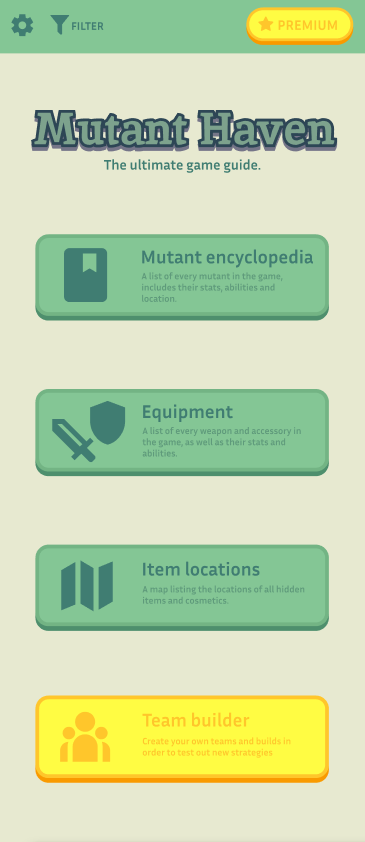
Inspired by the UI for the Animal Crossing companion app, I have used muted colours that harmonise together in order instil a calm feeling into the user, by avoiding assaulting them with bright conflicting colours, it also helps them concentrate on the options they are presented with. The only assets that don’t follow that trend are the premium options, both having a distinct yellow/orange colour pallet mimicking gold which suggests that it is paid content, as well as psychologically making the user see that they are worth more due to the connotations of gold.
Settings
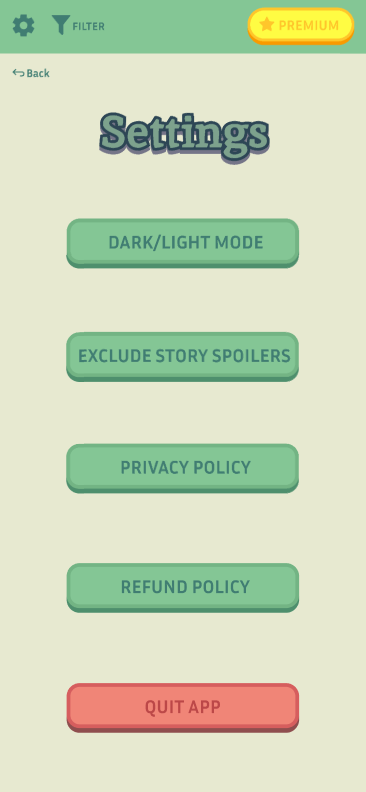
I made sure to make all the interactable buttons have the same colour scheme in order to create an association within my users that an asset following this colour scheme means that tapping the asset will warrant a response from it. The quit app button is specifically in red to both create a negative connotation within the user but also make them pay extra attention to this asset due to how different it is from the rest.
Premium
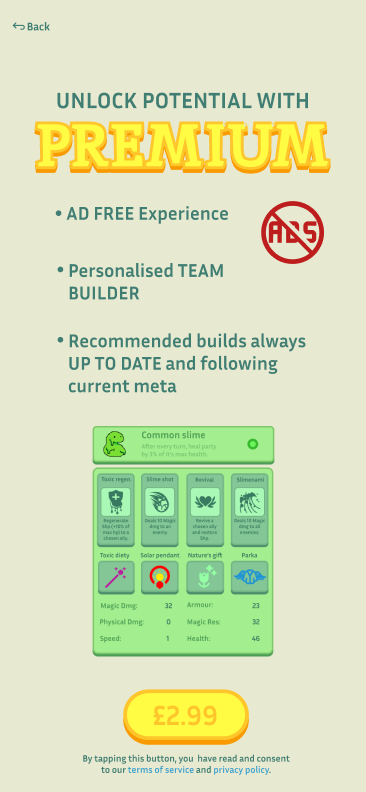
The premium page features a lot more golden visuals. The “ad-free” button remains in its signature red colour to bring attention to it to make sure it is not overshadowed by the team builder feature.
Option 1 – Mutant encyclopaedia
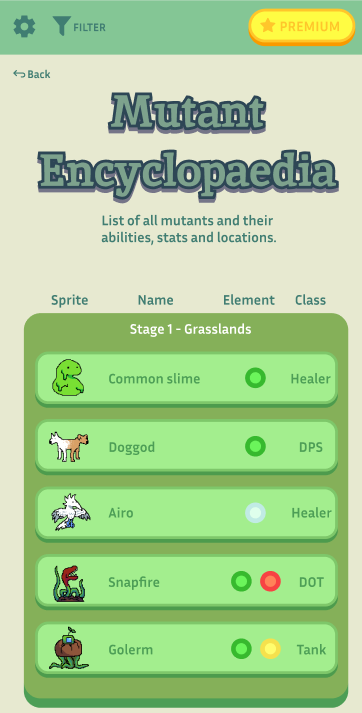
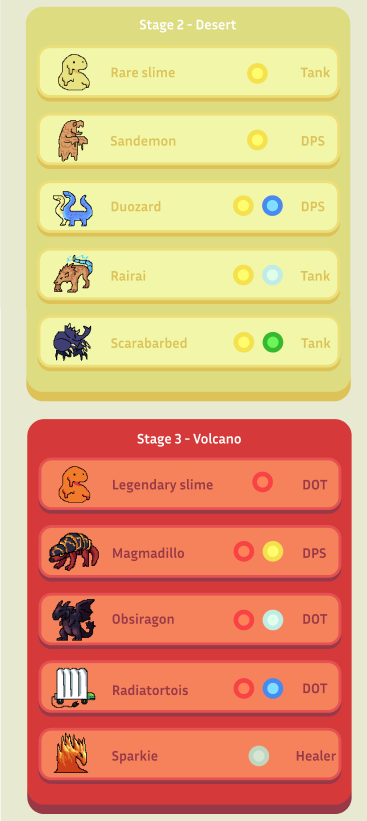
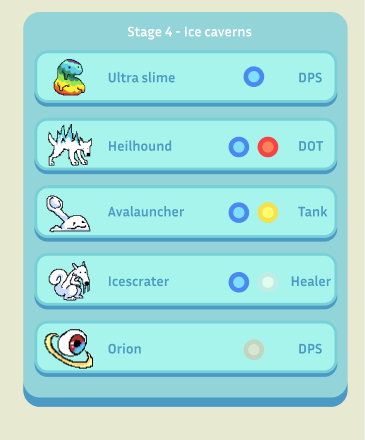
The encyclopaedia has been structured in a more organised manner and has been labelled in order to make sure that every user is aware of how the page is organised. A new category has been added called “class” which describes what role the mutant plays in the game. This will help users decide if the mutant they encountered suits what they are looking for without having to manually figure it out via trial and error. All sprites were made in Aseprite by me for this project specifically.
Option 1 – Mutant information
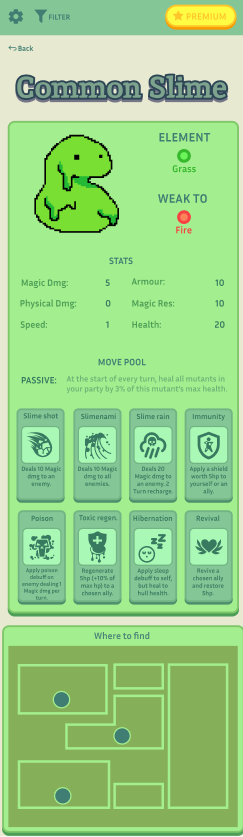
Tapping on a mutant will redirect you to an information page about it. It features surface level knowledge about the mutant which is beneficial for users doing a casual playthrough.
Option 2 – Items
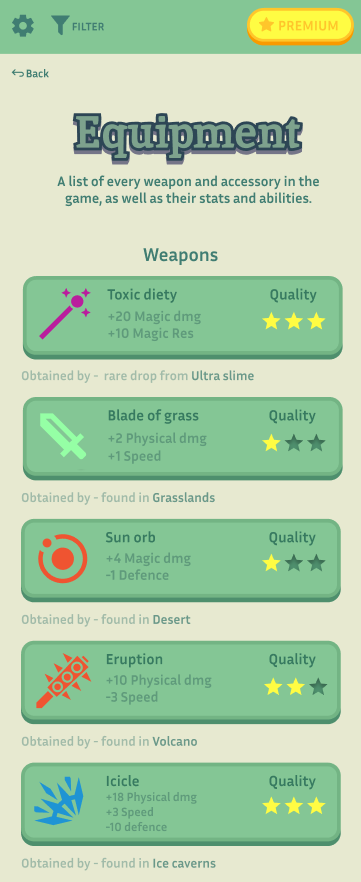
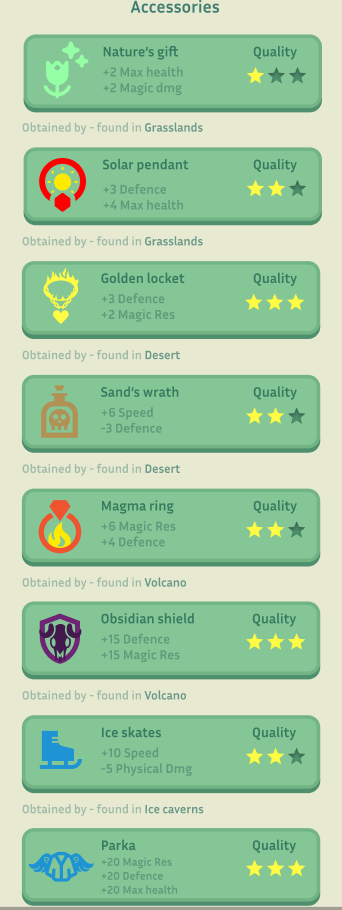
The items have gotten a “quality” category now instead of rarity due to some design changes in the map and the way the items are obtained. The icons are free to use assets from iconify, some heavily modified by me in order to better fit the visual that I had planned. I have made the names of the items more bold in order to make them easier to identify, and have made the stats have less opacity and be smaller so that they don’t strain the user’s eyes whilst they are searching for the name of an item they have in mind.
Option 3 – Map
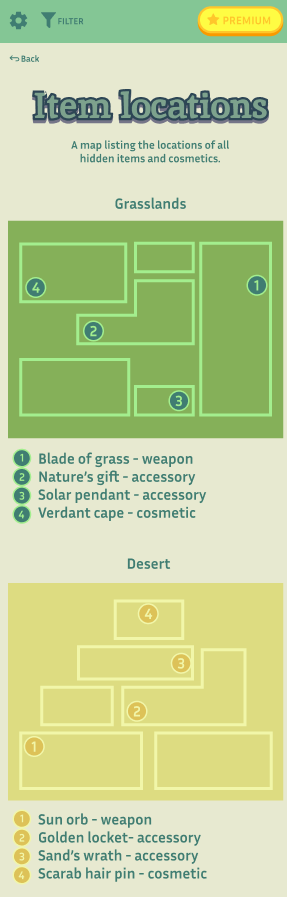
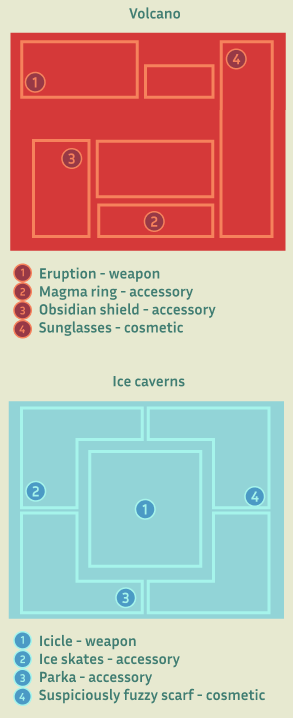
The maps are listed in order of progression. The numbers 1-4 are made to fit the aesthetic and colour scheme of the maps, whilst still standing out in order to make it easily visible for the users without straining their eyes. Below the map every number is annotated with what it represents.
Option 4 – Team builder
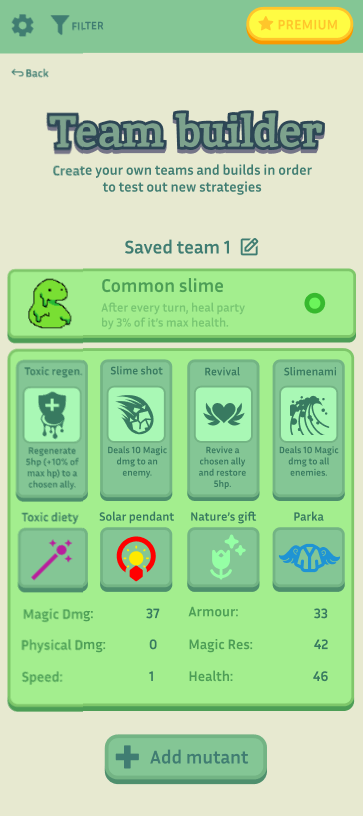
The top signifies which monster is currently being built which is its main identifier, which puts it high on the hierarchy. Every interactive asset has the same dark green colour scheme which makes it easy to identify where you are able to tap. The “Saved team” option has a pen and paper icon near it which suggests that it can be edited so that the users can name their custom teams and therefore have an easier time keeping track of their situations teams and builds.